Report Template Management
This page is still being edited and reviewed.
Administrators can create, update or delete report template in this page.
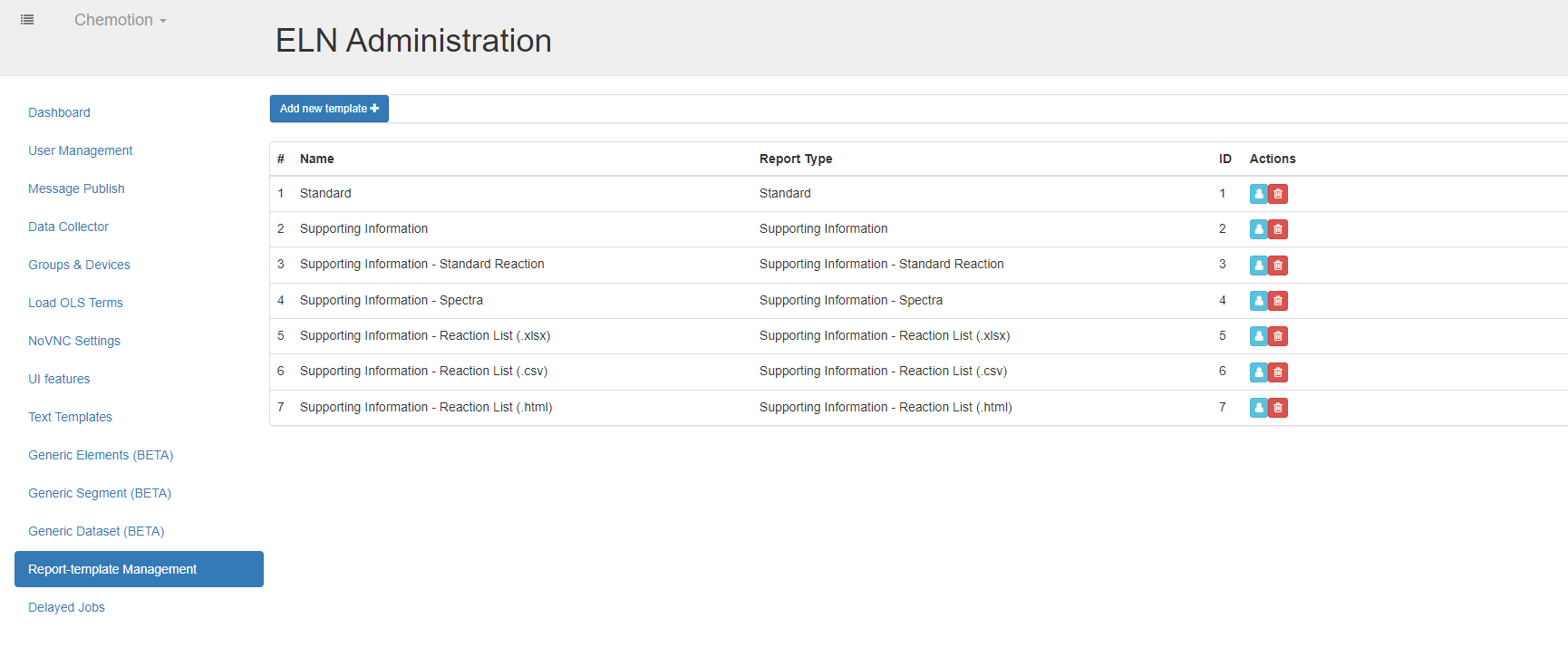
Create
You can create as many report templates as possible.
To create a report template, press the button , fill in the data of the report template attributes, then select your MS-word template file to upload. Finally press to save the data into database or to cancel the operation.
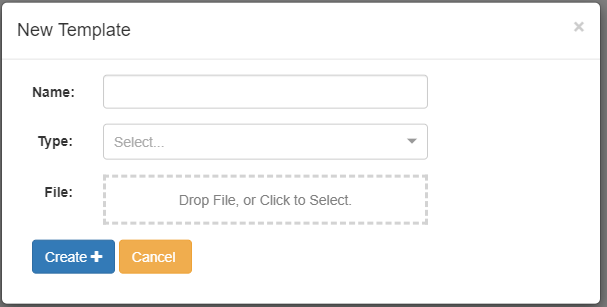
Update
You can update a report template. Note that the reports generated using that template will not be changed.
To update a report template, press the button on the report template line, change data of report template attributes, then select a new report template file. Finally press to save the data into database or to cancel the operation.

Delete
You can update a report template. Note that the reports generated using that template will not be changed.
To delete a report template, press the button on the report template line, a delete confirmation popup will appear. Press to delete the report template or to cancel the operation.