Input Group
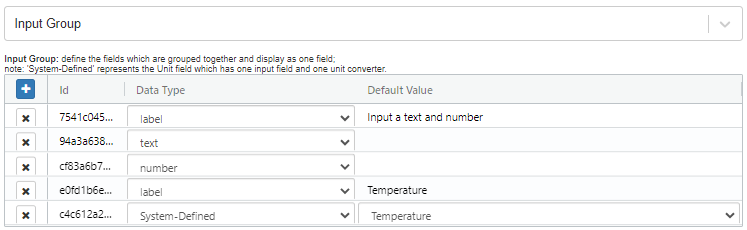
An Input Group type field groups the fields together and displays them as one field. Enter multiple input fields in one Input Group. You can add a label, text, number, and System-Defined fields.
This field is useful when you want to group multiple fields together and display them as one field, as shown below:

Input Group
To set up an Input Group field, click the button to add the field and specify the its type from the Data Type dropdown menu.
Extra Field Attributes
Id
A distinctive identifier within the table (generated by the system).
Data Type
The type of grouping field. The supported types are label, text, number, and System-Defined.
Default Value
The initial value of the field.