Work Area
A workspace for designers to create templates.
Reader: DesignerThe work area is the main area for designing templates. Utilize a diverse range of Components to craft a template tailored to suit your application.
Screenshot
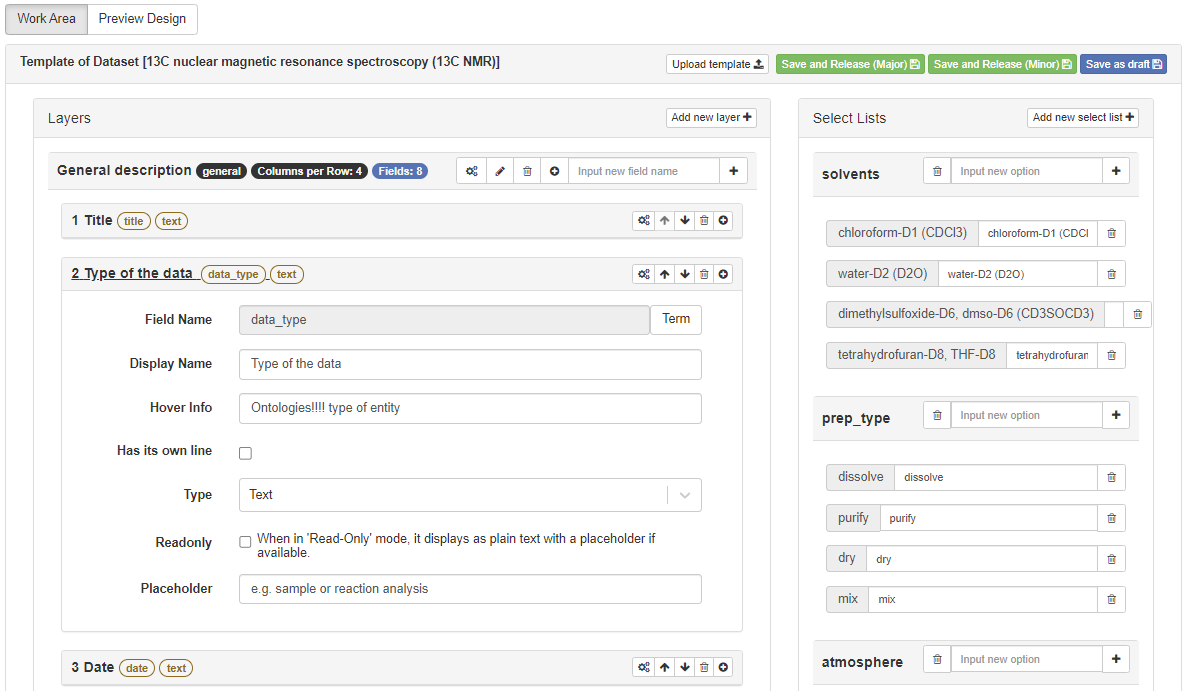
Work area
Toolbar of Work Area

Toolbar of Work area
Import template into Work Area
You can upload a template file to the work area. It is a convenient way to create a template.
Workflow
You can create a Workflow to organize different processes in a visual and structured way.
Save and Release (Major)
You can save and release the template to the user page. The template will be in major release. For example, if the current version is 1.0, the next version will be 2.0.
Save and Release (Minor)
You can save and release the template to the user page. The template will be in minor release. For example, if the current version is 1.0, the next version will be 1.1.
Save as draft
You can save the template as a draft. The template will not be released to the user page.